Style AA
for Chrome.

Try on clothes from any fashion store, and save the pieces you like to your wardrobe. Everything stays in sync with the Style AA app.

Add to Chrome · Coming soon

Coming soon to the Chrome Web Store.

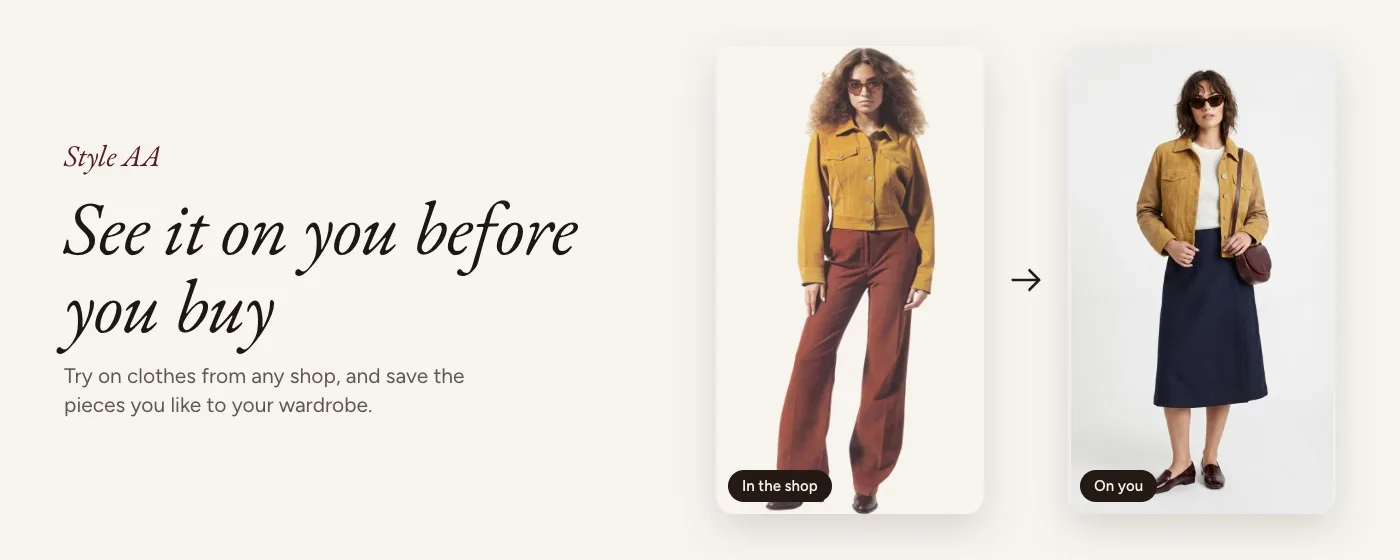
A mustard suede jacket in a shop photo, and the same jacket tried on by Style AA

See it on you before you buy

Add one photo of yourself, then shop as you normally do. Style AA sits in Chrome's side panel, right next to the shop.

01

Add your photo

Open the side panel, sign in and add one clear photo of yourself.

02

Point at any photo

On any fashion site, choose Try on over a product photo. Try one piece, or a whole outfit from a photo.

03

See it on you

In about 30 seconds, Style AA shows you wearing it, in your own photo. Keep it in your looks or download it.
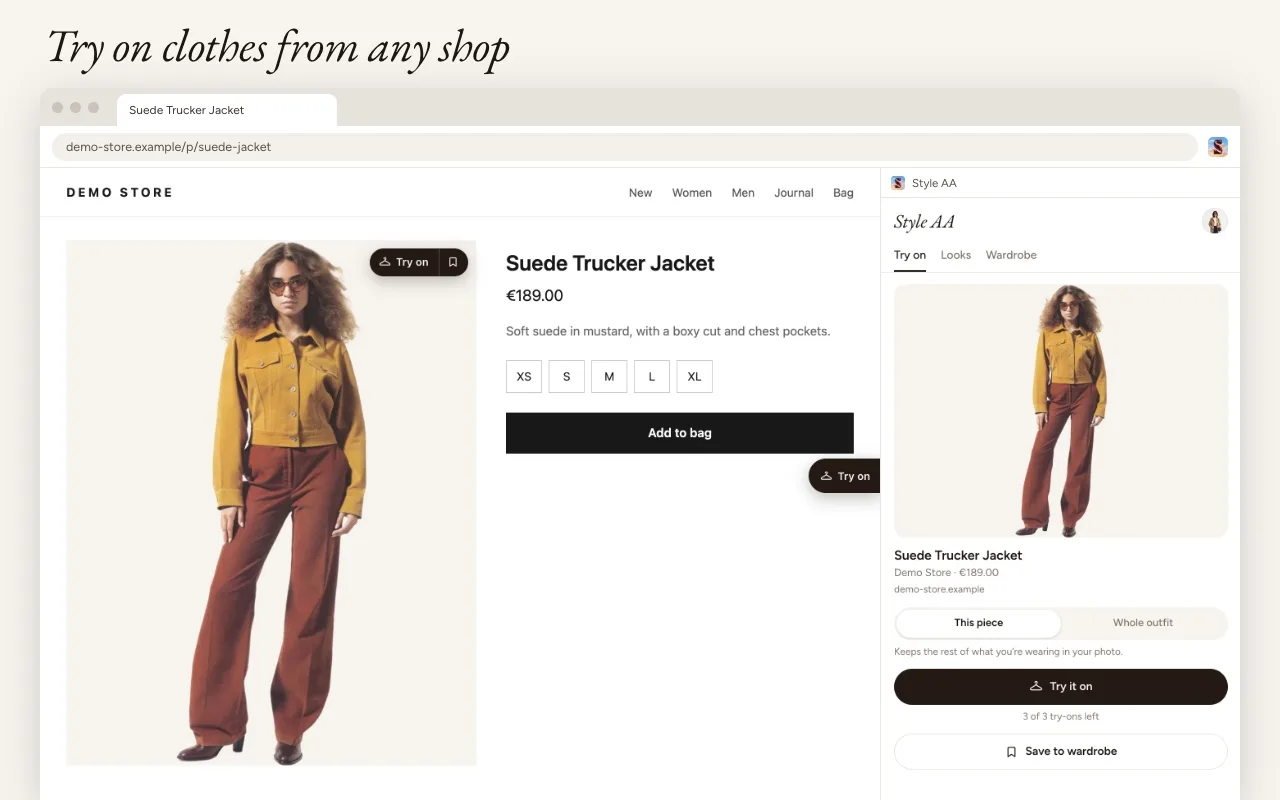
A product page with a Try on button on the photo and the Style AA side panel open
Try on from any shopA Try on button appears on product photos, and the side panel shows the piece you picked.
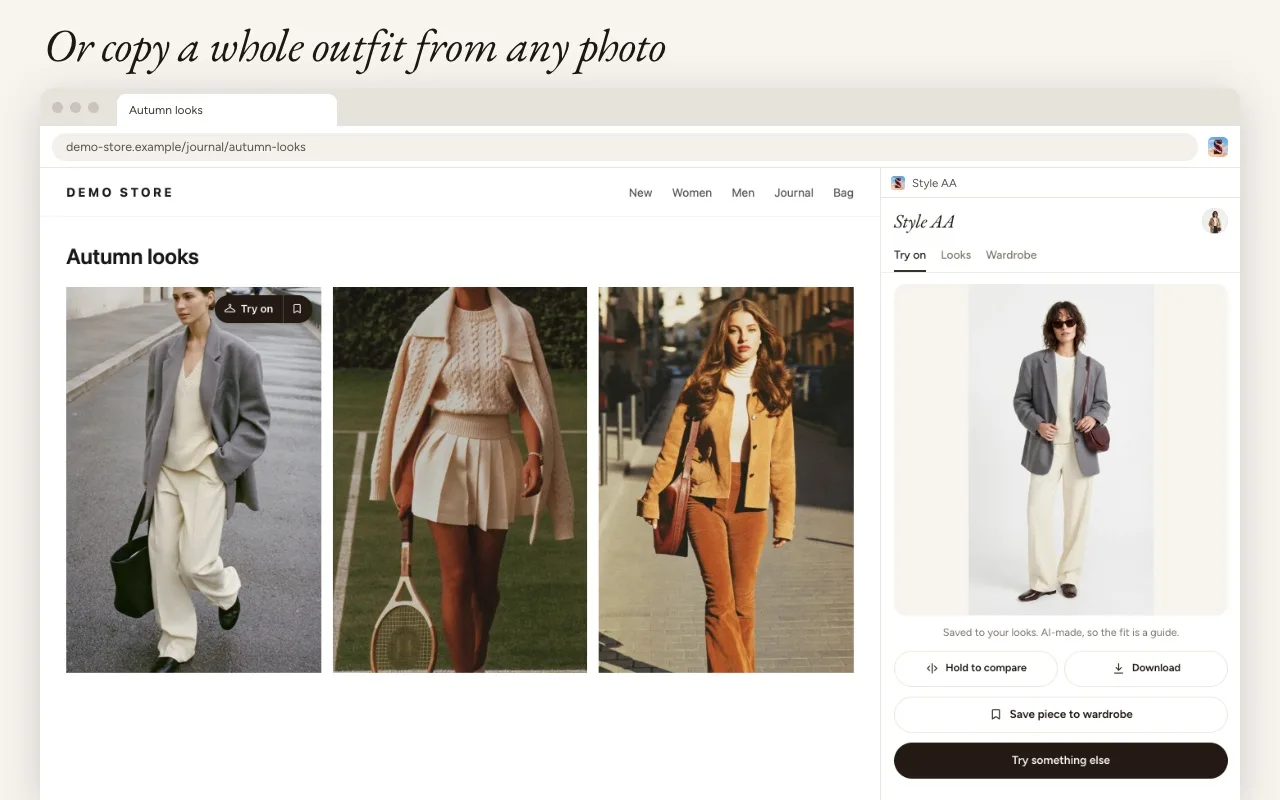
An inspiration page of autumn looks, with one outfit tried on in the Style AA side panel
Or copy a whole outfitWorks on shops and on inspiration from sites like Pinterest.

Your wardrobe, in sync

Found a piece you love? Save it to your wardrobe in one click, with its photo, name, price and link. Use the same account as in the Style AA app, and the pieces you save in Chrome show up in your wardrobe on your phone, ready to style with the clothes you already own.
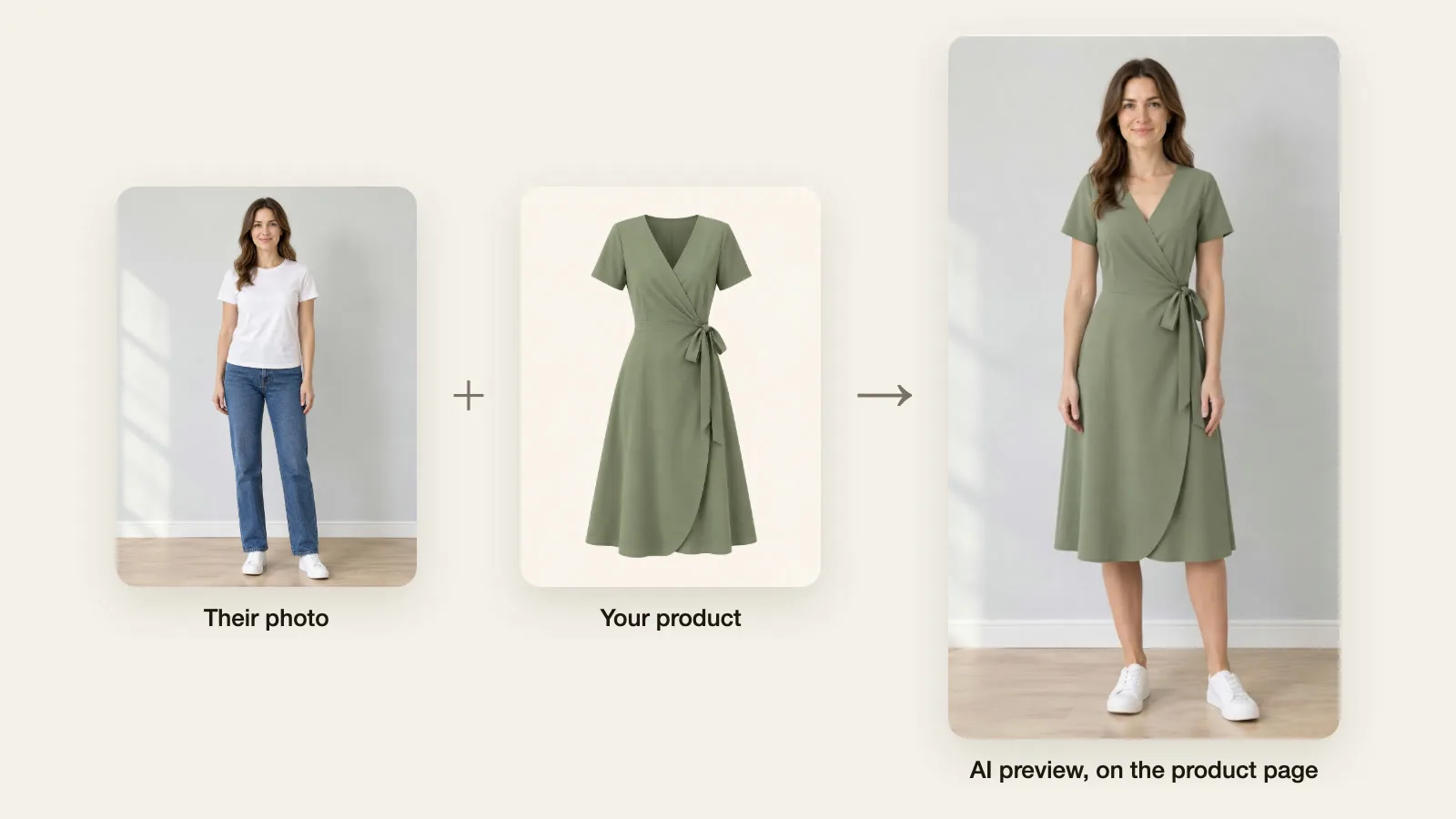
  • Try on one piece or a whole outfit from any product or inspiration photo.
  • Save products to your wardrobe in one click, straight from the shop.
  • Keep every try-on in your looks, and download the ones you like.
  • One account for Chrome and the Style AA app.
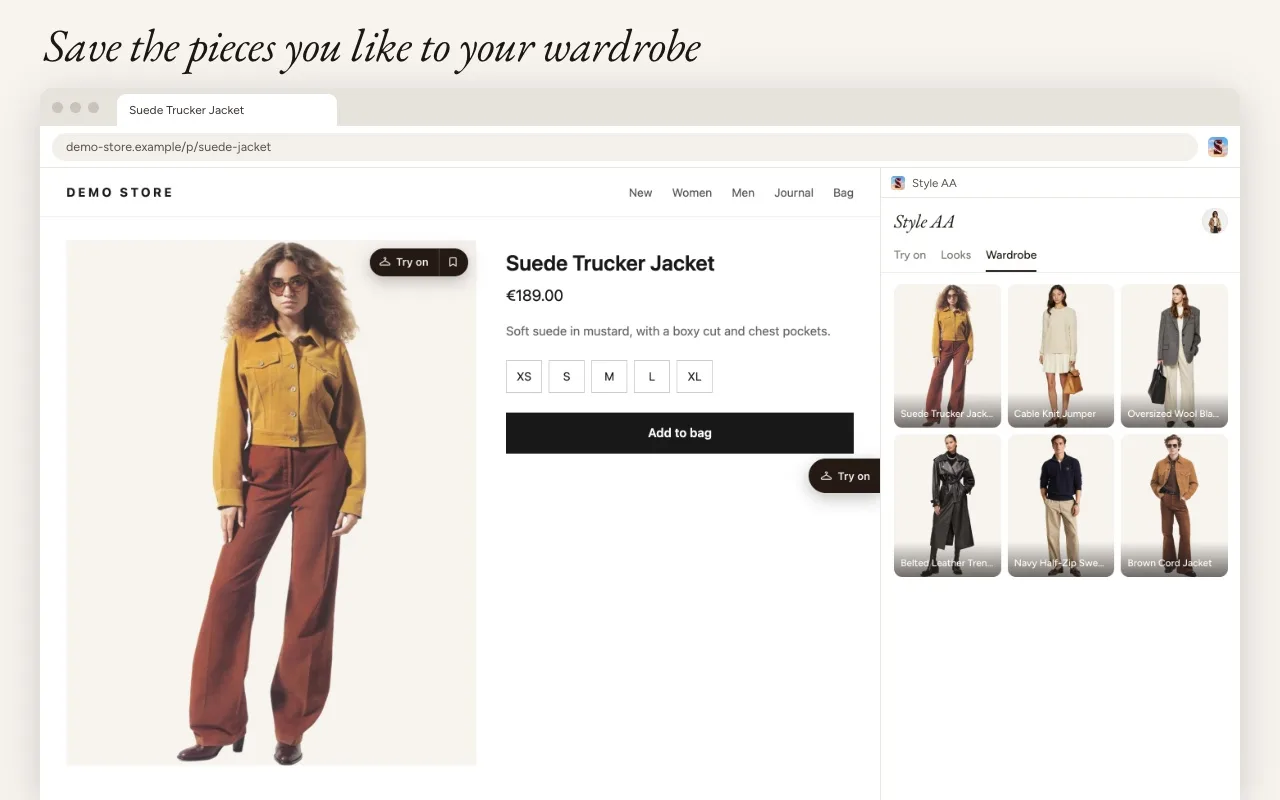
The Style AA side panel showing a wardrobe of saved jackets, jumpers and blazers
Save the pieces you likeEverything you save lands in your Style AA wardrobe.

Good to know

  • Try-on pictures are made by AI, so treat the fit as a guide rather than a promise. Check the shop's size guide before you order.
  • You need to be 18 or older. Free accounts get 3 try-ons every 30 days.
  • Your photo stays on your computer until you start a try-on, and is deleted from our servers when it ends. Read the privacy policy.

Coming soon
to Chrome.

Style AA for Chrome is on its way to the Chrome Web Store. In the meantime, try on any outfit in the app on iPhone, iPad and Android.

Download on the App Store